
Deep Work starts in your browser.
Track, categorize, and block distractions with the Focora Chrome Extension. Standalone power for a focused web.
One popup. Everything you need to focus.
Block distractions, run a focus session, and see where your time actually goes — without leaving your browser or signing up.
One click blocks the tab you're on.
Paste any domain to add it.
No three-site cap, ever.
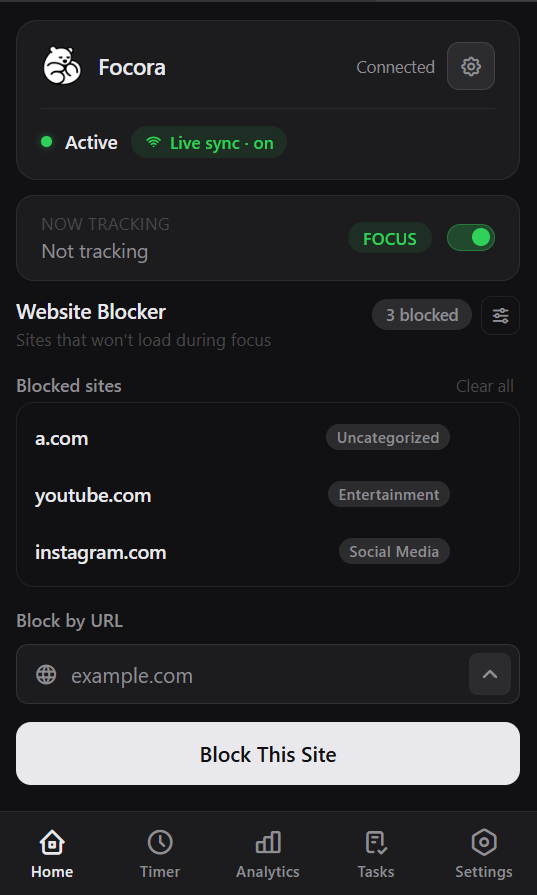
Sorted into Social, Entertainment, and more.
See which sites eat your time, live.
Optional account saves your history.
One click blocks the tab you're on.
Paste any domain to add it.
No three-site cap, ever.
Sorted into Social, Entertainment, and more.
See which sites eat your time, live.
Optional account saves your history.
Make the block page yours.
Upload any image, write any message. A meme, a photo, a note from the version of you that set the block — whatever actually makes you close the tab and get back to work.
A photo + a line
A note from past-you
A quote that stings
Your own meme
Just a wall of text
Whatever keeps you off it

A photo + a line
A note from past-you
A quote that stings
Your own meme
Just a wall of text
Whatever keeps you off it
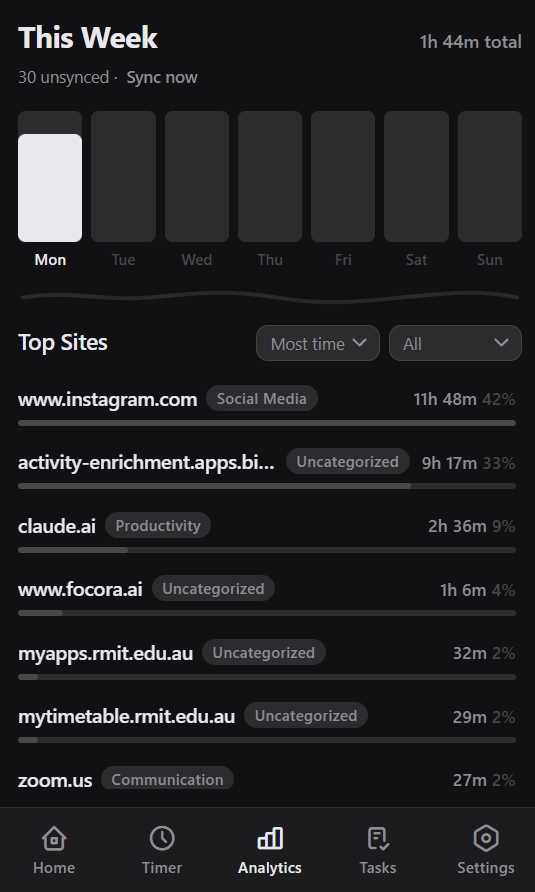
See where your time actually goes
A week of your browsing, sorted automatically — top sites, time per site, and how much happened during focus versus breaks. Block with data, not guesses.
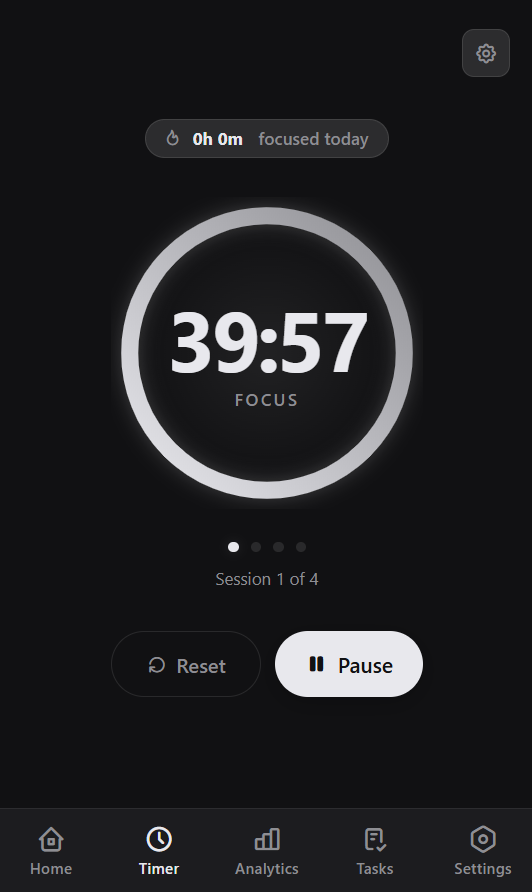
A focus timer that counts your sessions
Customizable focus and break lengths, session progress, and a chime when each phase ends — so you can stop clock-watching and actually work.
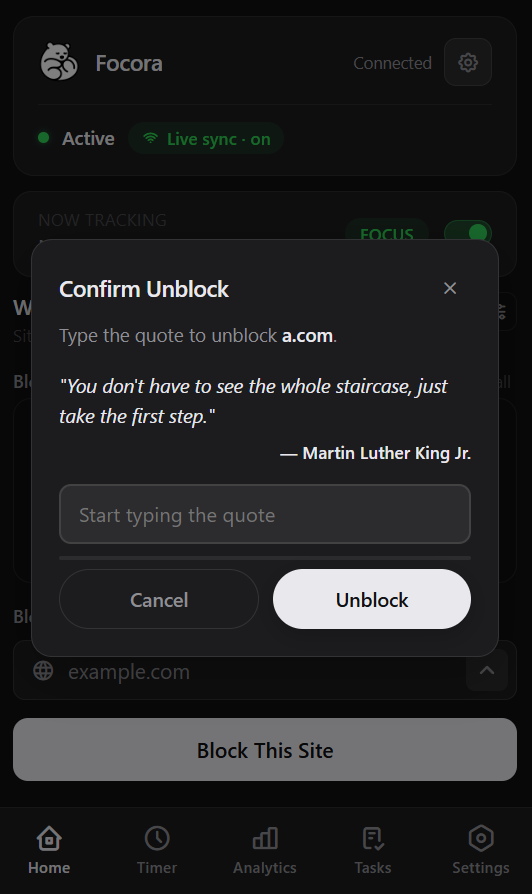
Make it hard to cheat on yourself
Turn on strict mode and removing a blocked site means typing out a quote first. Set your own block page and message, so the procrastinating version of you can't bargain its way back in.
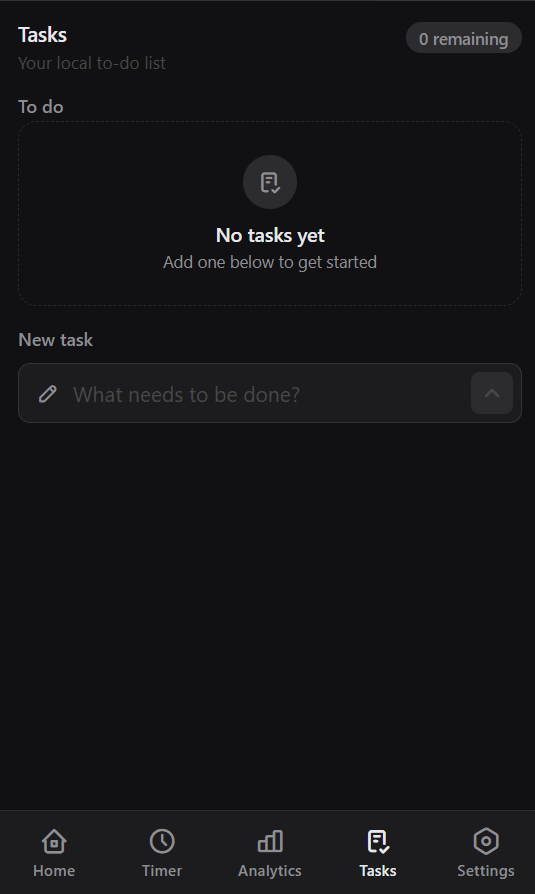
Your to-do list lives here too
Jot down what you're working on without opening another app, and check it off as you go. One less tab between you and done.
Up and running in 3 steps.
Install the extension
Add Focora to Chrome in one click from the Web Store. No account needed to get started.
Browse normally
Focora silently tracks every site you visit and builds your personal distraction profile.
Take control
Open the dashboard to see your data, set block lists, and launch your first Focus Session.
Use it solo. Sign in for the full picture.
The extension works the second you install it — no account, no setup, data kept right in your browser. Create a free account and it syncs across devices and unlocks the full analytics dashboard.
This is your dashboard the moment you sign in — focus score, deep-work hours, and every site you visited, synced across devices.
The same popup, two ways to run it
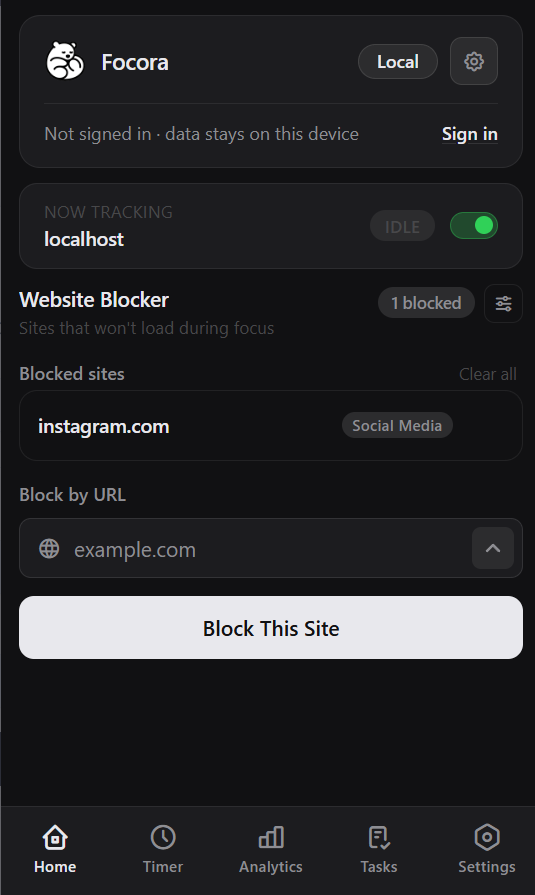
No account. Works offline. Your data stays in this browser.
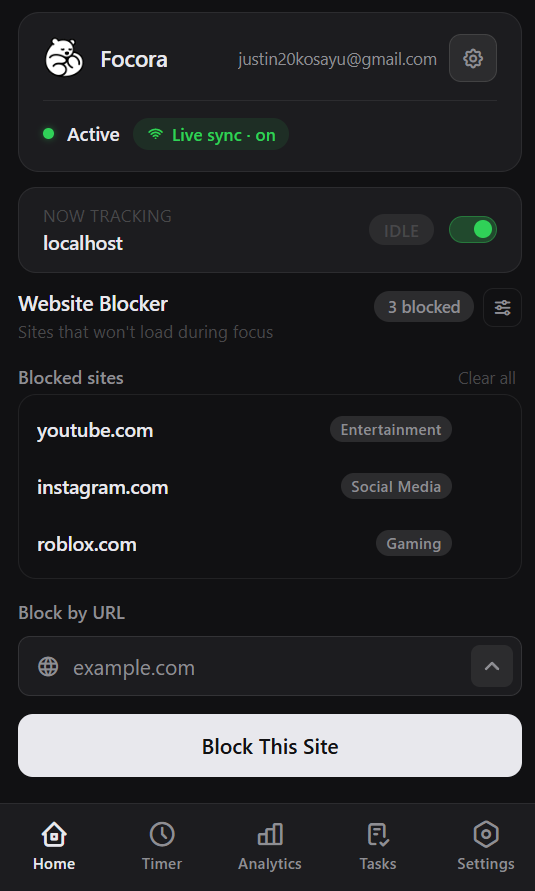
Signed in. Synced across devices, with the full dashboard.
No account. Works offline. Your data stays in this browser.
Signed in. Synced across devices, with the full dashboard.
Already have an account?
Open the extension popup and hit Connect. Everything you tracked while standalone imports to your account the first time — nothing is lost.
Roadmap.
We build in public. Here's what's shipped, in progress, and planned.
This list has blank space on purpose.
Every feature above started as a message from someone — a “what if…”, a complaint, a half-formed idea sent on a Tuesday. Tell us what's missing, what's clunky, or what would make this a daily habit. Big swings welcome. Tiny nitpicks too.
Your name gets immortalized. If your idea ships, it won't ship anonymously — your name is etched right beside it, in the changelog, the credits, and on this very roadmap, for as long as the product exists.
No form, no account — just an email. We read every one.
Frequently Asked Questions
Everything you need to know about getting started with our productivity platform.
No. The timer, unlimited site blocking, tasks, and this week's stats all work the moment you install, with no sign-up or setup required. Your data stays in your browser. A free account is optional: it syncs across devices and unlocks your full history and the analytics dashboard.
It's free, and there's no three-site cap or paywall on blocking. Block as many sites as you want. A free account unlocks cross-device sync and the deeper analytics, but the extension itself stays free, with no credit card anywhere.
To track and block sites, the extension needs to see which pages you open — that's what powers your time breakdown and your blocklist. It also uses notifications for the end of a focus session, and local storage to keep your data on your device. It doesn't read page content or your passwords.
In standalone mode, everything stays in your browser. Nothing leaves your device. If you create an account and connect, your data syncs to that account so you can see it across devices and on the web dashboard. Either way, we never sell it.
No. Time tracking and blocking run on a lightweight background script, and site categorization reads from a list bundled inside the extension, so it isn't calling out to a server for every page you visit.
Block the tab you're on with one click, or paste any domain. There's no limit. Turn on strict mode and removing a site means typing out a quote first, so you can't impulsively unblock. You can also set your own block-page image and message.
Everything you tracked while standalone imports to your account the first time you connect. Your history comes with you — nothing is lost.
Chrome today. Firefox and Edge support are in progress. You can track them on the roadmap above.
Most blockers just block. Focora also shows you where your time actually goes, with your sites automatically sorted into categories, so you block based on real data rather than guesswork. It also folds a Pomodoro timer and to-do list into the same popup, replacing several tools instead of adding one more. But here's the part worth saying plainly: every serious tool that combines time tracking, analytics, and site blocking at this level charges you for it. RescueTime, Freedom, Cold Turkey, Serene — the moment you want real insights alongside real blocking, you're looking at a monthly subscription. Focora gives you all of it for free. No trial that expires, no limit on how many sites you can block, no credit card to enter. That combination genuinely doesn't exist anywhere else without paying for it.
Start focusing today.
Join thousands of people who use Focora to reclaim their attention and do better work.
Add to Chrome — It's Free