


You're putting in the hours. Why isn't it working?
You start each day focused. You block distractions, set timers, and work hard all day. But when you log off, that nagging feeling hits...
You feel drained, but your biggest project barely moved forward
You were busy all day, but what did you actually accomplish?
You've rescheduled the same task for the fifth time
The problem isn't effort. The problem is that your tools tell you what you did,
not why it isn't working.
Our Solution / Focus App
IntroducingFocora
Your entire productivity life, Visualized.
+ PERFORMANCE
Outstanding Performance!
You're doing exceptionally well today compared to your recent performance. Keep up the amazing work!
Weekly Focus
Daily Timeline
Apps & Websites
7h 8m tracked today · 10 sites
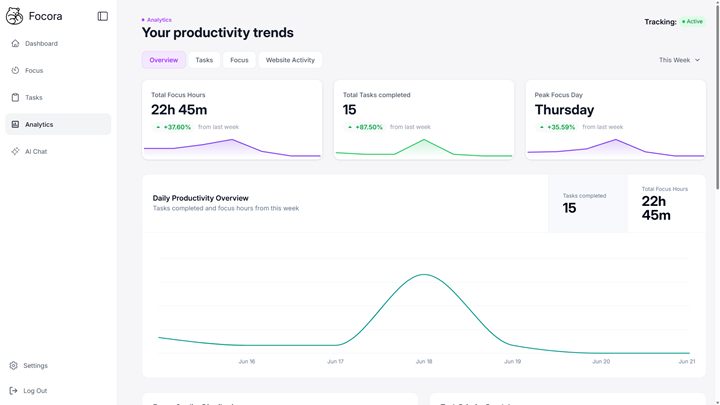
This is your dashboard the moment you sign in. Focus score, deep-work hours, and every site you visited, synced across devices.



Conquer Digital Distractions
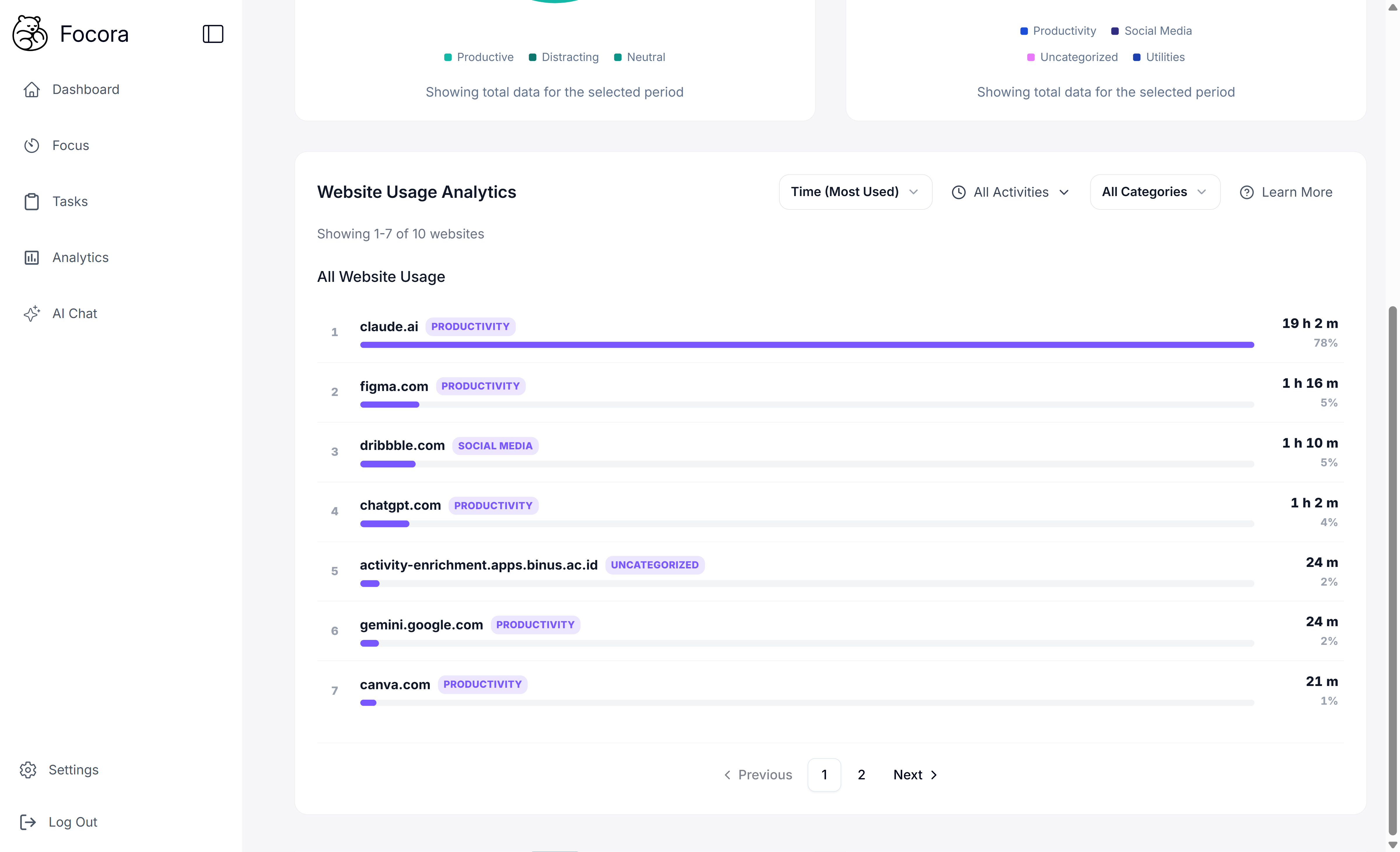 AnalyticsBlocked Sites
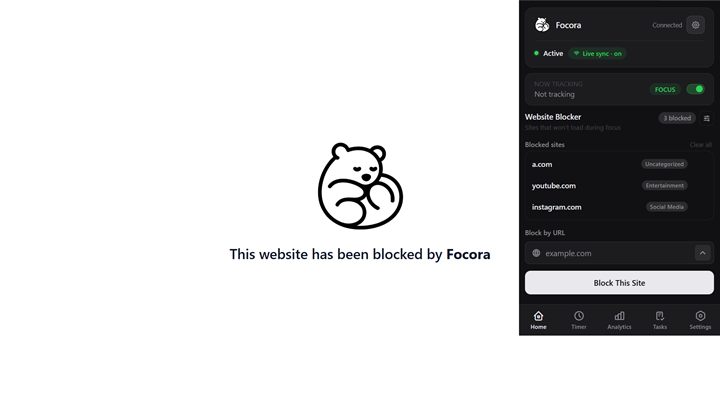
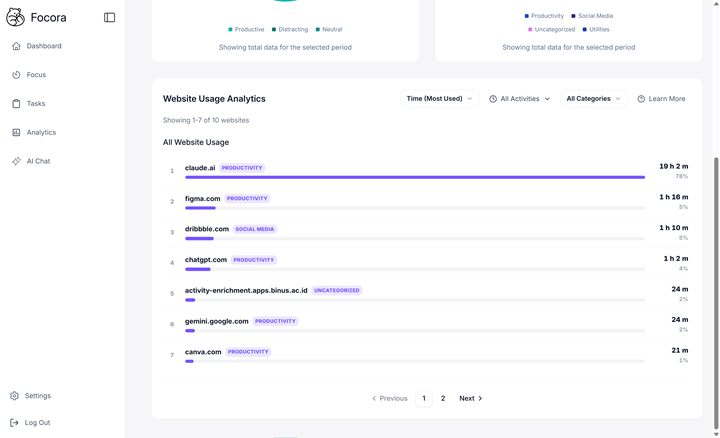
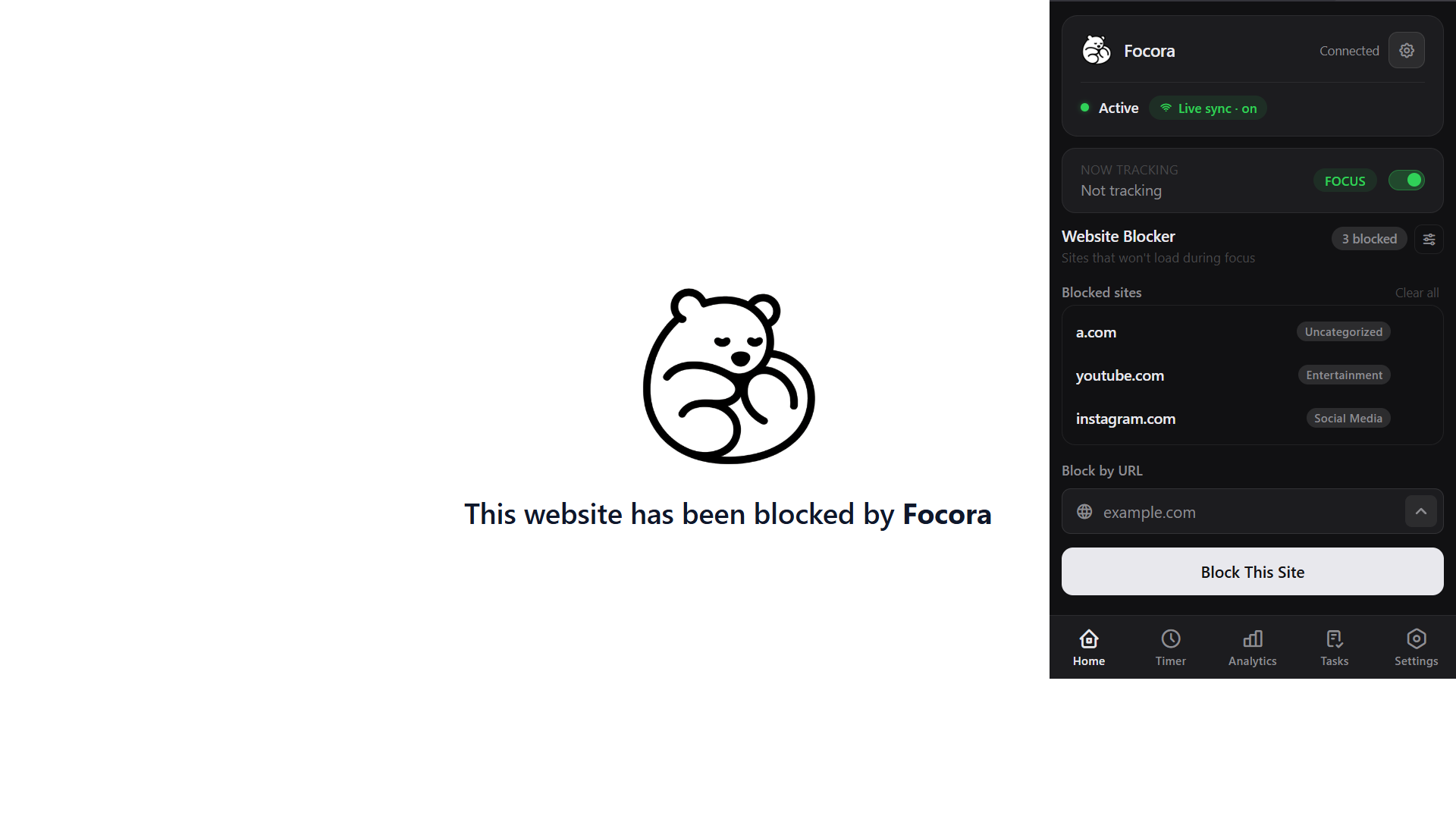
Block unlimited sites, and see which ones actually eat your time, sorted automatically
The correlation engine
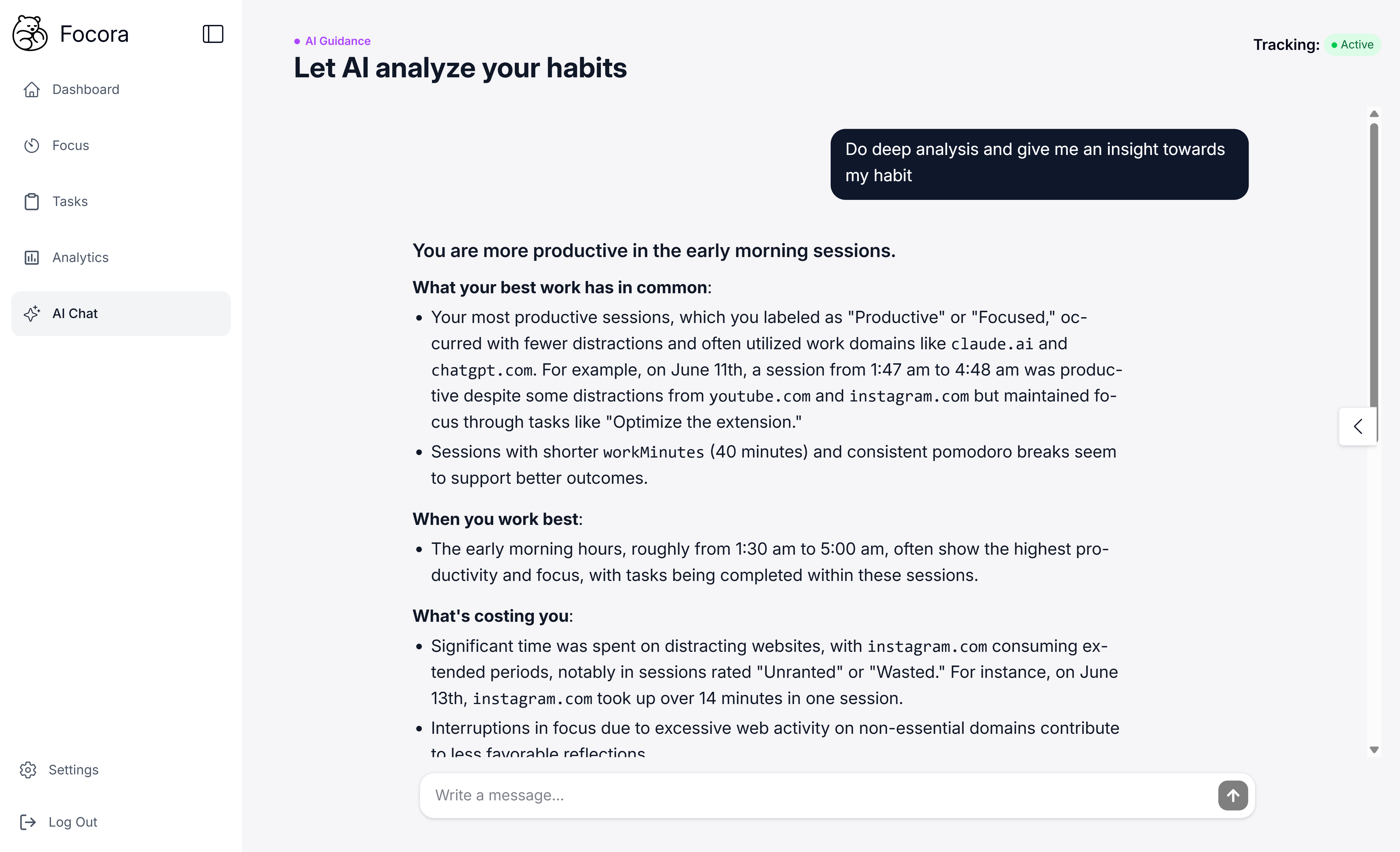
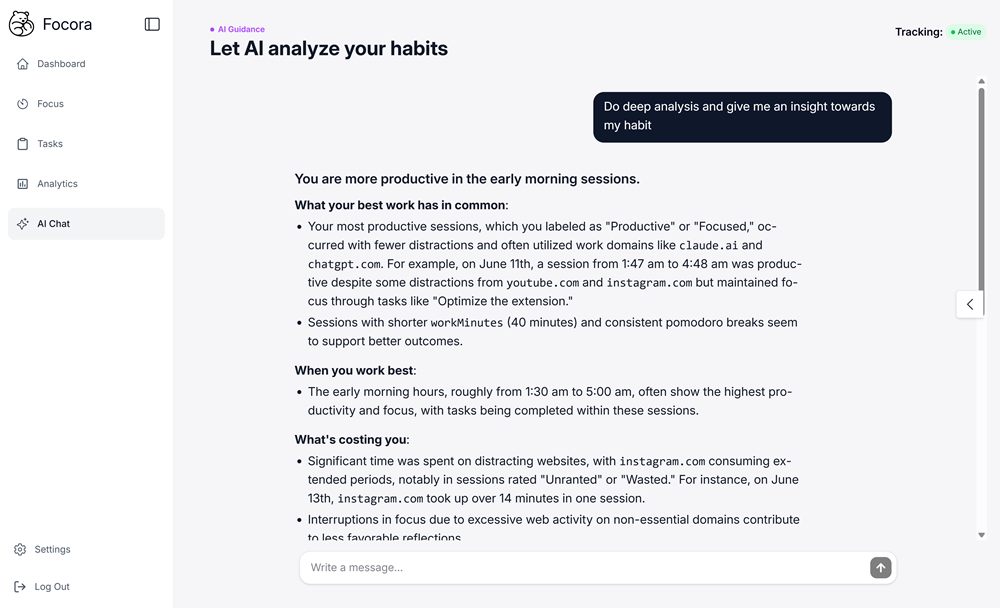
Identify your most productive patterns with actionable insights, not just raw data.

Our entire productivity life, Visualized.
Dashboard
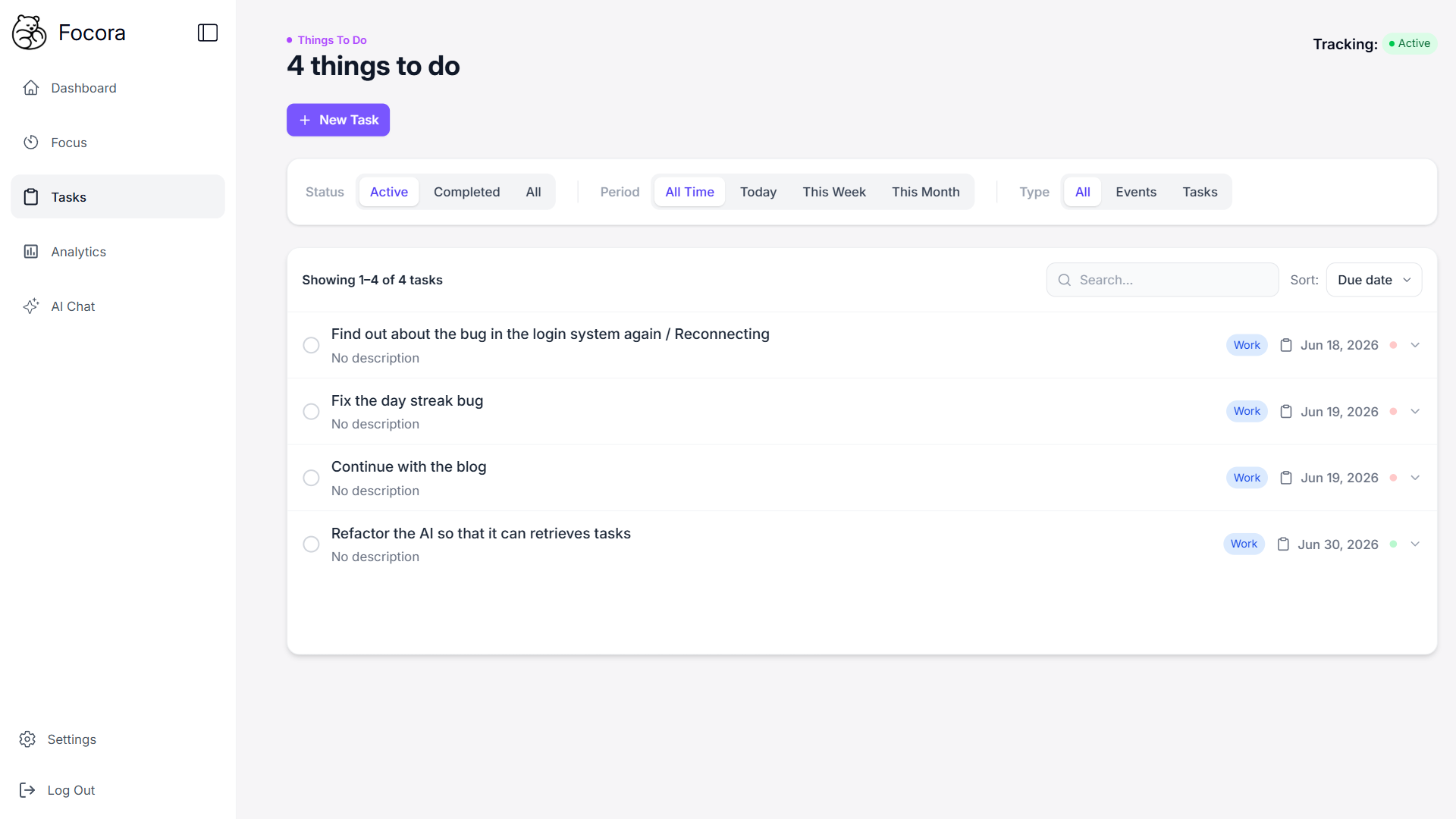
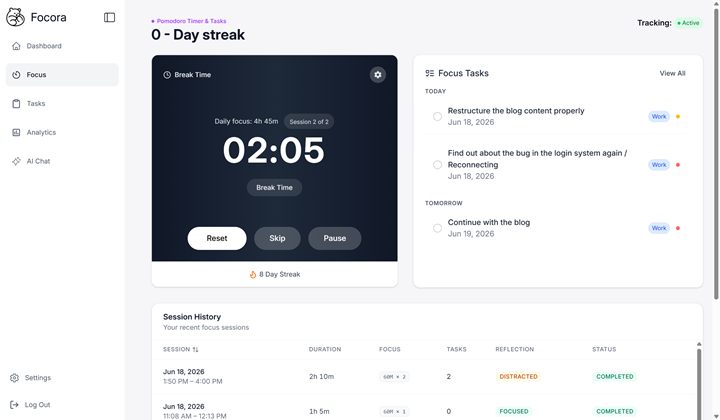
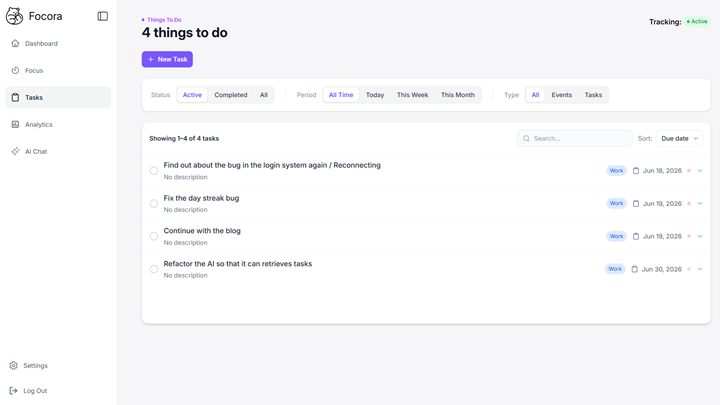
A focus timer that logs every session, so you can see your real patterns
Analytics Depth
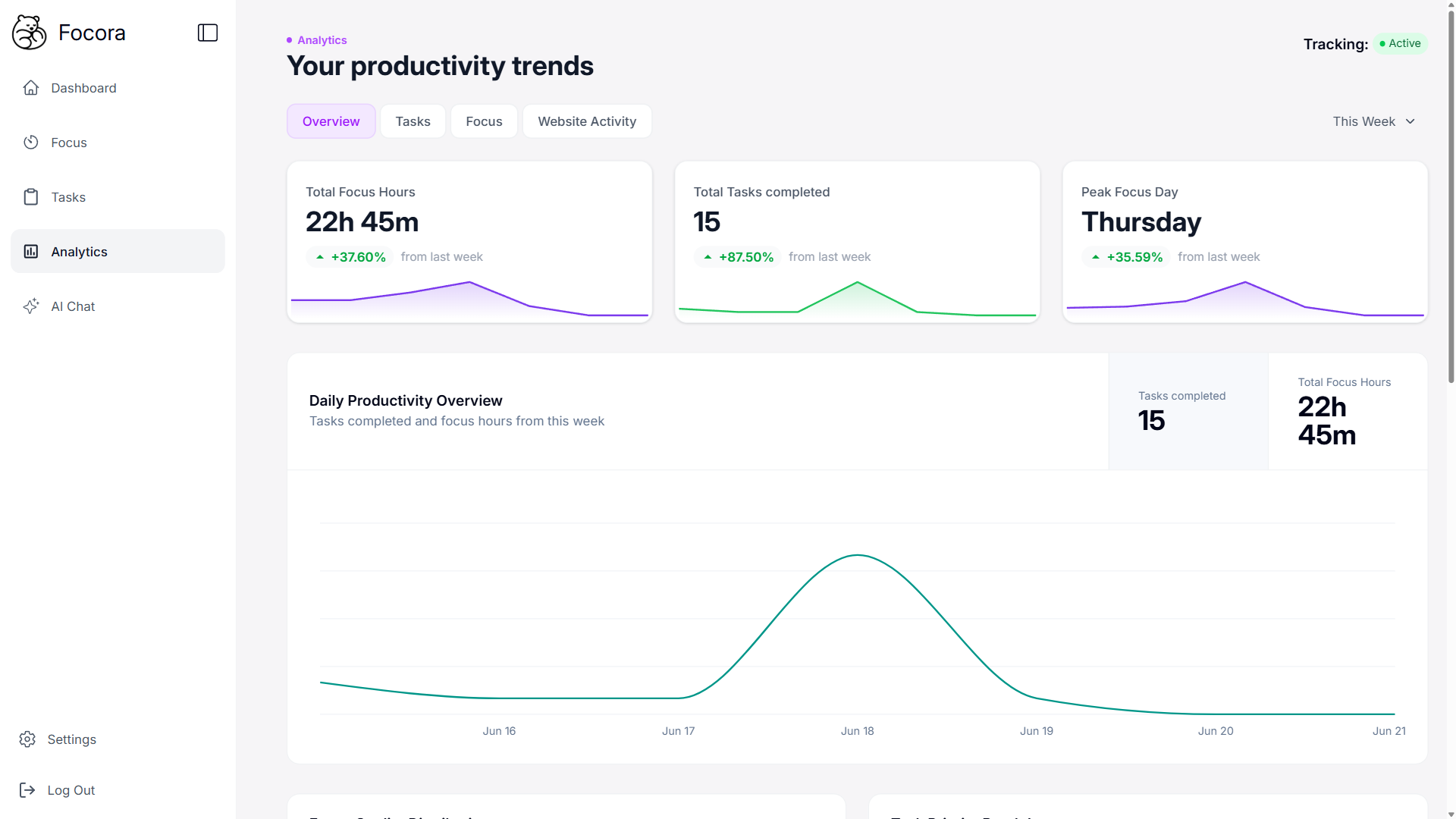
Block unlimited sites, and see which ones actually eat your time, sorted automatically
Roadmap.
We build in public. Here's what's shipped, in progress, and planned.
This list has blank space on purpose.
Every feature above started as a message from someone — a “what if…”, a complaint, a half-formed idea sent on a Tuesday. Tell us what's missing, what's clunky, or what would make this a daily habit. Big swings welcome. Tiny nitpicks too.
Your name gets immortalized. If your idea ships, it won't ship anonymously — your name is etched right beside it, in the changelog, the credits, and on this very roadmap, for as long as the product exists.
No form, no account — just an email. We read every one.
Frequently Asked Questions
Everything you need to know about getting started with our productivity platform.
Absolutely. Your productivity data stays completely private and secure. We never share your personal information with third parties. You own your data, and you can export or delete it anytime.
Our app uses a browser extension to anonymously track which websites and applications you use. All data stays on your device unless you choose to sync it with our secure cloud.
Yes! The core features of Focora are completely free. We plan to introduce premium features in the future, but our commitment is to always provide a valuable free tier.
Currently, you can use Focora on any computer with our browser extension. Mobile apps are coming soon, which will allow you to track your productivity across all devices.
Our AI is able to provide accurate, personalized suggestions by drawing from a broad knowledge base of productivity resources and tutorials. That said, the more you use Focora, the better it gets. The more data you build up over time, the more tailored and relevant your suggestions become. For the best results, make proper use of sessions and try to complete tasks within a session whenever possible, as this gives the AI clearer signals about your work patterns.
Notion is a productivity workspace while Focora is a productivity tracker. Focora measures how effectively you worked, while Notion is where your work lives. As for Rize AI, the key distinction is that Focora features a smart timer capable of actively tracking your activity in real time, which Rize AI currently does not offer.
Yes! If privacy is your priority, you can use the Focora browser extension completely standalone with no account required. The extension will still track your site usage and let you block distracting sites, all stored locally on your device.